
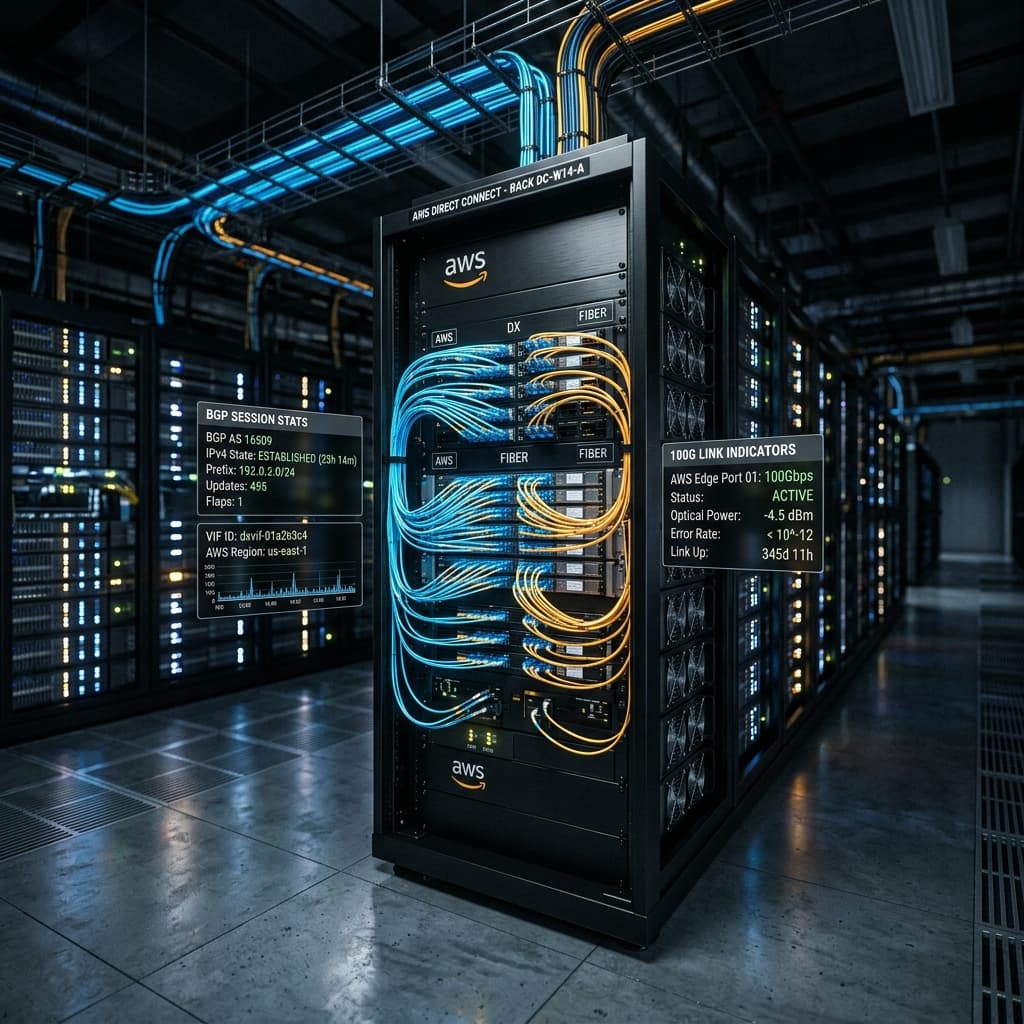
Direct Connect: The Physical Fiber Foundation
The public internet is a best-effort, unpredictable mesh. For enterprise workloads—high-frequency trading, real-time database replication, or AI model training—jitter is the enemy of efficiency. AWS Direct Connect (DX) provides a private, physical path into the AWS global backbone, reducing hop counts and ensuring consistent latency profiles.
1. Layer 1: The Colocation Physical Hand-off.
Direct Connect begins at a **Direct Connect Location** (a carrier-neutral data center like Equinix, Digital Realty, or CoreSite). AWS maintains a fleet of routers inside these facilities.
The Physical Connection Chain
A. The Cross-Connect
A literal Single-Mode Fiber (SMF) patch cable running from your rack in the DC to the AWS patch panel. Usually LC/UPC termination.
B. The Port Speed
AWS offers 1G, 10G, and 100G native ports. LAG (Link Aggregation) allows bonding up to 4 ports for a 400G aggregate pipe.
C. The Demarcation
The physical point where responsibility shifts from the DC operator (Cross-Connect) to AWS (The DX Device).
The "Last Mile" is often handled by a **Direct Connect Partner**. In this model, the partner owns the physical connection to AWS and carves out **Hosted Connections** for users. While simpler, Hosted Connections lack the ability to use native LAG or MACsec encryption.
2. Layer 2: 802.1q VLAN Segmentation.
Once the physical light is green, the single fiber is partitioned into multiple logical pipes called **Virtual Interfaces (VIFs)**. Each VIF is assigned a unique VLAN ID (IEEE 802.1q).
Private VIF
Direct access to a single VPC via a VGW (Virtual Private Gateway). Limited to local region resources.
Transit VIF
The "Pro" choice. Connects to an AWS Transit Gateway (TGW), enabling a single DX connection to reach thousands of VPCs globally.
Public VIF
Access to public AWS services (S3, DynamoDB, Glacier) without crossing the internet. Requires public AS numbers.
3. Layer 3: BGP Peering & BFD Optimization.
Routing is handled via **eBGP (External Border Gateway Protocol)**. AWS advertises its VPC cidrs, and the enterprise router advertises on-prem prefixes.
Scaling with BGP Communities
AWS uses specific BGP communities to give customers control over traffic origination. This is critical for "Hot Potato" vs "Cold Potato" routing.
7224:9100 / 9200 / 9300Local Region / Home Continent / Global scope. Allows you to limit how far AWS distributes your prefixes.
AS_PATH PrependingThe primary mechanism for active/passive failover. AWS honors up to 10 prepends to determine the primary path.
BFD: Sub-Second Failover
BGP is slow. By default, it takes 90 seconds to detect a link failure. **Bidirectional Forwarding Detection (BFD)** sends ultra-fast heartbeats between the on-prem router and the AWS Direct Connect chassis.
BFD detection time (AWS supports 300ms intervals)
Note: Direct Connect LAG interfaces do not support BFD. Instead, they rely on LACP (802.3ad) timeouts which are notoriously slower (approx 3-30s).
Forensics: The BGP Flap
If your Direct Connect logs show "BGP Notification Received (Cease: Peer Unreachable)", check your BGP Local-AS vs Remote-AS. AWS expects 64512-65534 for private AS numbers. If you use a public AS that you don't own, AWS will drop the session at the border.
BGP state = Established, up for 24:02:11
Hold time is 90, keepalive interval is 30 seconds
4. MACsec (802.1AE): Line-Rate Encryption.
For years, the trade-off for Direct Connect was performance vs security. IPsec VPNs could encrypt traffic but capped at ~1.25 Gbps per tunnel. **MACsec** provides Layer-2 encryption at the hardware level, maintaining 100 Gbps line-rate throughput.
Hardware-Assisted Security
Unlike IPsec, which adds complex headers and requires CPU cycles for ESP encapsulation, MACsec is handled by the PHY/SFP+ chip. It encrypts the payload while keeping the ethernet header intact (mostly).
- Cipher AES-GCM-256
- Integrity ICV (Integrity Check Value)
- Latency Penalty < 50ns
- Throughput Up to 400 Gbps
5. Architecture: The DX Gateway (DXGW).
In the early days, a DX connection was tied to a single VPC. This didn't scale. The **Direct Connect Gateway (DXGW)** acts as a global hub.
By associating a Private VIF with a DXGW, you can reach VPCs in any region (excluding China) over the AWS backbone. This simplifies BGP dramatically, as you only peer once with the DXGW rather than managing hundreds of BGP sessions for each VPC.
Exascale Routing Logic
On-Prem Router -> Fiber -> DX Location -> DXGW -> [VPC-US-East-1, VPC-EU-West-1, VPC-AP-South-1]
// Propagation Strategy
Prefixes from On-Prem are automatically redistributed into the route tables of all associated VPCs.
The Verdict: Professional Connectivity
AWS Direct Connect is the ultimate bridge between the physical and virtual worlds. By mastering its L1/L2/L3 nuances, architects can build hybrid infrastructures that rival the performance of unified data centers. In the age of AI, where data movement is the new bottleneck, DX isn't just a network—it's a competitive advantage.
Frequently Asked Questions
Related Engineering Resources
"You are our partner in accuracy. If you spot a discrepancy in calculations, a technical typo, or have a field insight to share, don't hesitate to reach out. Your expertise helps us maintain the highest standards of reliability."
Contributors are acknowledged in our technical updates.
6. Direct Connect Gateway: BGP Route Propagation and Scaling Limits
The Direct Connect Gateway (DXGW) is a globally distributed routing appliance that acts as an intermediary between your Direct Connect VIFs and your Virtual Private Clouds (VPCs). Unlike a Virtual Private Gateway (VGW) which is region-scoped, the DXGW can associate VPCs across multiple AWS Regions, enabling a single physical Direct Connect connection to provide private connectivity to VPCs in any region (excluding China and GovCloud).
The routing architecture of the DXGW follows a hub-and-spoke model: the on-premises router establishes a single eBGP session to the DXGW over a Private VIF, and the DXGW propagates learned prefixes into all associated VPC route tables. This reduces BGP session count from N (one per VPC) to 1 (one per DXGW), which is critical when managing hundreds or thousands of VPCs. The DXGW supports both IPv4 and IPv6 unicast address families, and prefix propagation uses a two-step process: prefixes received from the on-premises router are first validated against the DXGW's allowed prefix list, then injected into each associated VPC's route table as static routes with the VGW as the next hop.
The scaling limits of DXGW are well-defined and frequently encountered in large-scale deployments. Each DXGW supports a maximum of 100 Virtual Interface (VIF) associations, 300 VPC associations per DXGW (with a regional distribution of up to 10 VPCs per region for non-allocated DXGWs, and up to 300 VPCs across regions for allocated DXGWs), and a maximum of 1,000 propagated routes per BGP session. The route limit is particularly constraining — if an enterprise data center advertises more than 1,000 prefixes (which is common in large environments with per-application VLANs), the DXGW will silently drop excess prefixes, causing reachability gaps for applications whose prefixes are not propagated. The solution is either route summarization at the on-premises router (aggregating /24s into /16s) or multi-VIF designs where different prefix sets are advertised on different Private VIFs to different DXGWs.
BGP path selection over the DXGW follows standard eBGP rules with AWS-specific modifications. When a VPC receives the same prefix from multiple DXGWs (or from a DXGW and a VGW), it selects the path with the shortest AS_PATH. AWS does not support BGP Multi-Exit Discriminator (MED) on DXGW — instead, path selection is controlled entirely through AS_PATH prepending on the on-premises router or through BGP communities (7224:9100 for local region preference, 7224:9200 for continent preference, 7224:9300 for global preference). The BGP community mechanism is particularly powerful for traffic engineering: applying 7224:9100 to a prefix causes AWS to advertise it with a shorter AS_PATH to VPCs in the local region compared to other regions, effectively steering cross-region traffic to the geographically nearest Direct Connect location.
Route propagation timing through the DXGW is not instantaneous. When a new prefix is advertised over the Private VIF, it takes approximately 30-60 seconds for the route to appear in all associated VPC route tables. This delay is caused by the propagation pipeline: the on-premises BGP update must be received by the DXGW, validated, transformed into a VPC route table entry, and propagated through the AWS Regional API layer to each VPC. During large-scale routing events (such as a data center failover where hundreds of prefixes are withdrawn and readvertised), this propagation delay can compound, resulting in a 2-5 minute window of inconsistent routing. BFD on the Private VIF can reduce the detection portion of the failover, but the DXGW propagation delay remains a hard physical limit determined by the API propagation path.
7. Link Aggregation Groups: Hash Algorithms and Load Distribution Asymmetry
AWS Direct Connect supports Link Aggregation Groups (LAG) as defined by IEEE 802.3ad, allowing up to 4 physical connections (1G, 10G, or 100G each) to be aggregated into a single logical interface. LAG provides both increased aggregate bandwidth (up to 400G with four 100G connections) and link-level redundancy — if one physical member fails, traffic is redistributed across the surviving members without requiring BGP reconvergence. However, LAG introduces subtle performance characteristics that differ fundamentally from ECMP (Equal-Cost Multi-Path) routing.
The key difference between LAG and ECMP lies in the load-balancing algorithm. ECMP operates at Layer 3, distributing packets across multiple BGP next hops based on a hash of the IP header fields (source IP, destination IP, protocol, and optionally source/destination ports). LAG operates at Layer 2, distributing frames across physical member links based on a hash of the Ethernet header (source MAC, destination MAC, and VLAN tag for L2 LAG; plus IP and port fields for L3 LAG). The LAG hash algorithm in AWS Direct Connect uses a 7-tuple hash: source MAC, destination MAC, source IP, destination IP, IP protocol, source port, and destination port. The hash output is reduced to a 2-bit value (for 4-member LAG) or a 1-bit value (for 2-member LAG), determining which physical link carries the frame.
The critical performance characteristic of LAG is that all packets in a single flow use the same physical link, because the hash input fields are identical for all packets in the flow. This means that aggregate throughput is limited by the hash distribution across flows, not by the number of member links. If a single flow (such as a large S3 multipart upload or a database replication stream) consumes 50 Gbps of bandwidth, and the LAG has four 10G members (40 Gbps total), the flow will hash to a single 10G link and experience congestion, even though three member links are idle. This phenomenon, known as "flow collision" or "hash polarization," becomes increasingly severe as the number of member links increases — the probability of flow collision for a 4-link LAG with 100 flows is approximately 23% (based on the birthday problem: P(at least one collision) = 1 - (4! / (4^100 * (4-100)!)) ).
AWS Direct Connect LAG supports two hash algorithms: the standard 7-tuple hash and the adaptive hash (using Flowlet switching). Flowlet switching improves load distribution by detecting idle gaps between bursts of packets — if a flow's inter-packet gap exceeds a threshold (typically 50-100 microseconds), the next burst can be hashed to a different member link, effectively allowing single flows to use the aggregate bandwidth. Flowlet switching requires hardware support on both the AWS Direct Connect router and the on-premises router, and is supported on AWS Direct Connect only for 100G interfaces. When Flowlet switching is enabled, aggregate throughput for a single TCP connection can reach up to 70% of the LAG's total capacity (compared to 25% for a 4-link LAG without Flowlet switching), significantly improving utilization for high-bandwidth workloads such as machine learning training data transfers.
LAG member links in AWS Direct Connect are not required to be symmetric — you can aggregate a 10G link and a 100G link into a single LAG, although the bandwidth contribution of each member is proportional to its speed. In this case, the 100G link carries 10/11 of the traffic, and the 10G link carries 1/11. However, the hash distribution applies the same probability to both links, so the 10G link is equally likely to receive a specific flow as the 100G link, causing oversubscription on the 10G link for any flow that hashes to it. AWS strongly recommends symmetric LAG member speeds. Additionally, LAG does not support BFD — link failure detection relies on LACP timeouts, which default to "short timeout" mode (3 seconds detection) but can drift to "long timeout" mode (90 seconds) in degraded optical conditions.
BFD: Sub-Second Failure Detection for DX
AWS Direct Connect's high availability depends on **Bidirectional Forwarding Detection (BFD)** — a lightweight protocol that detects link failures faster than BGP's native keepalive timers. Without BFD, a failed fiber between your on-premises router and the AWS Direct Connect location may take 30-180 seconds to detect, during which traffic blackholes silently.
BFD operates as a session between two directly connected routers, completely independent of the routing protocol. It sends rapid **BFD Control Packets** at a configurable interval (typically 100-300 milliseconds). If three consecutive packets are missed, the BFD session is declared DOWN, and BFD immediately signals the connected routing protocol (eBGP, OSPF, or static) to withdraw the route. This achieves detection times of 300-900 milliseconds, compared to the 30-120 seconds of BGP's default keepalive (hold timer = 3 x keepalive = 3 x 60 = 180 seconds).
The BFD timing parameters for Direct Connect must be carefully tuned. The AWS Direct Connect router supports a minimum BFD interval of 300ms with a multiplier of 3, yielding a 900ms detection time. Setting the interval below 100ms can cause BFD flapping during periods of high CPU utilization on the on-premises router, as the router may miss BFD control packets while processing burst traffic. The recommended production configuration is a 300ms transmit interval with a 3x multiplier, providing 900ms detection — fast enough to trigger BGP failover before TCP connections time out, but slow enough to avoid false positives during traffic bursts.
In multi-connection Direct Connect designs, BFD must be configured on every VIF (Virtual Interface). If a primary DX connection fails, BFD triggers BGP route withdrawal within 1 second, and the backup DX connection's eBGP session immediately advertises the same prefixes with a lower Local Preference. The total failover time — from fiber cut to traffic flowing on the backup — is typically 2-5 seconds, dominated by the time for the backup BGP session to propagate through the AWS global backbone. This is well within the 10-second TCP retransmission timeout, ensuring that most TCP connections survive the failover without application-level errors.